HCPs portal redesign
– Pharma company
The global pharma company was in the process of migrating one of its portals to a new platform. This was a great opportunity to rethink the experience offered to HCPs: the existing portal had several usability issues and users were not engaging with it as expected. I led the experience workstream to understand user needs and define the future portal experience.
My role and responsibilities
As experience lead on the project, I coordinated the research activities, managed the relationship with stakeholders and translated findings into actionable UX recommendations, working closely with product and design teams.
- Experience Lead
- Research team manager
- Product manager
- Stakeholder manager
- UX designer
Approach and methodologies
User interviews
Understand HCPs' needs and the status of the as-is portal
User journeys
Visualise the future ideal user experience
Experience principles
Define principles that will guide the designs
Recommendations
Recommendations for the upcoming designs
Interviews findings
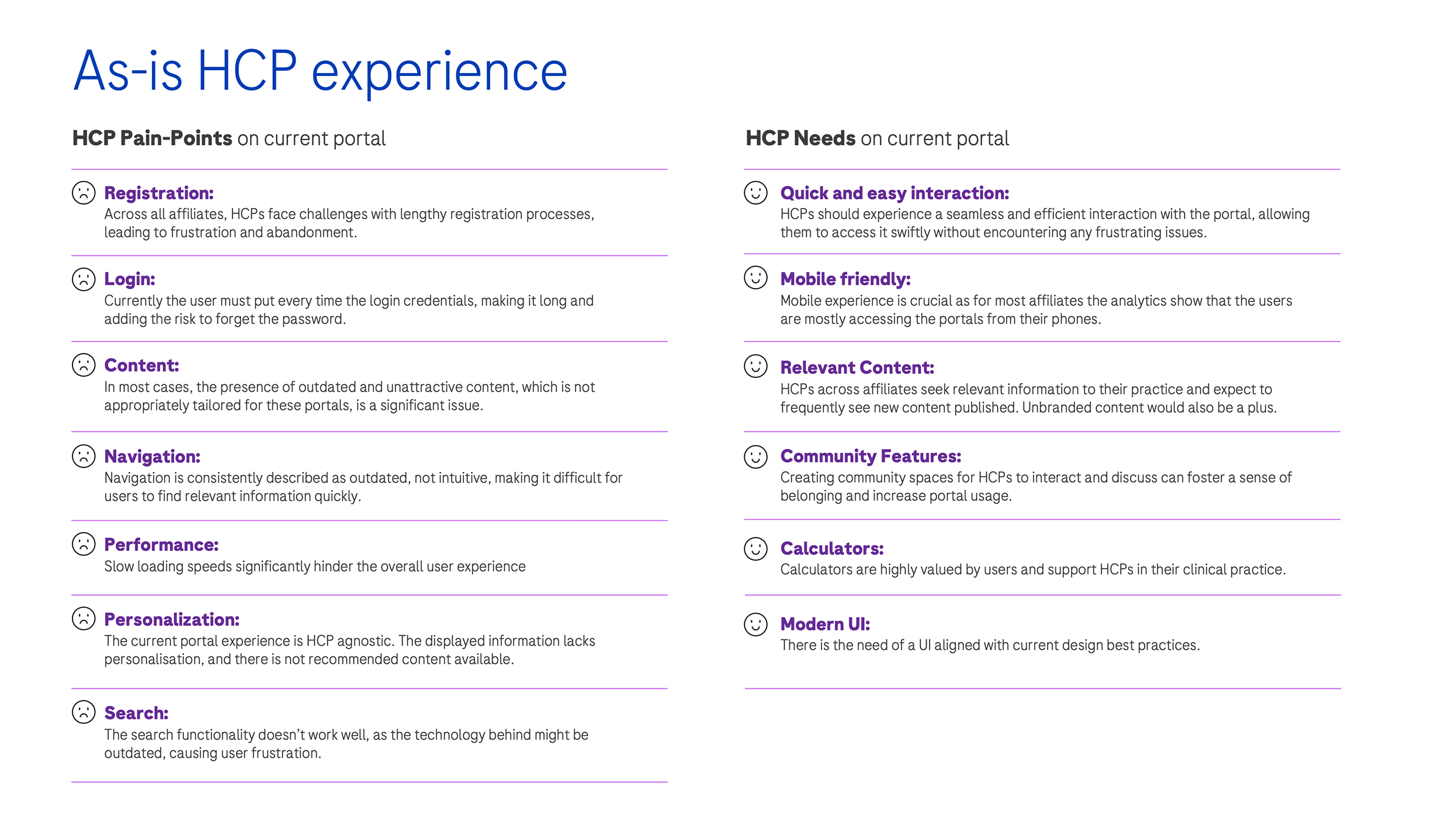
We conducted a series of interviews with HCPs across different specialties and countries, with the goal of understanding how they use the current portal, what works and where the main pain points are.
The findings were organised into pain points and needs, covering registration, login, content, navigation, performance, personalisation and search.
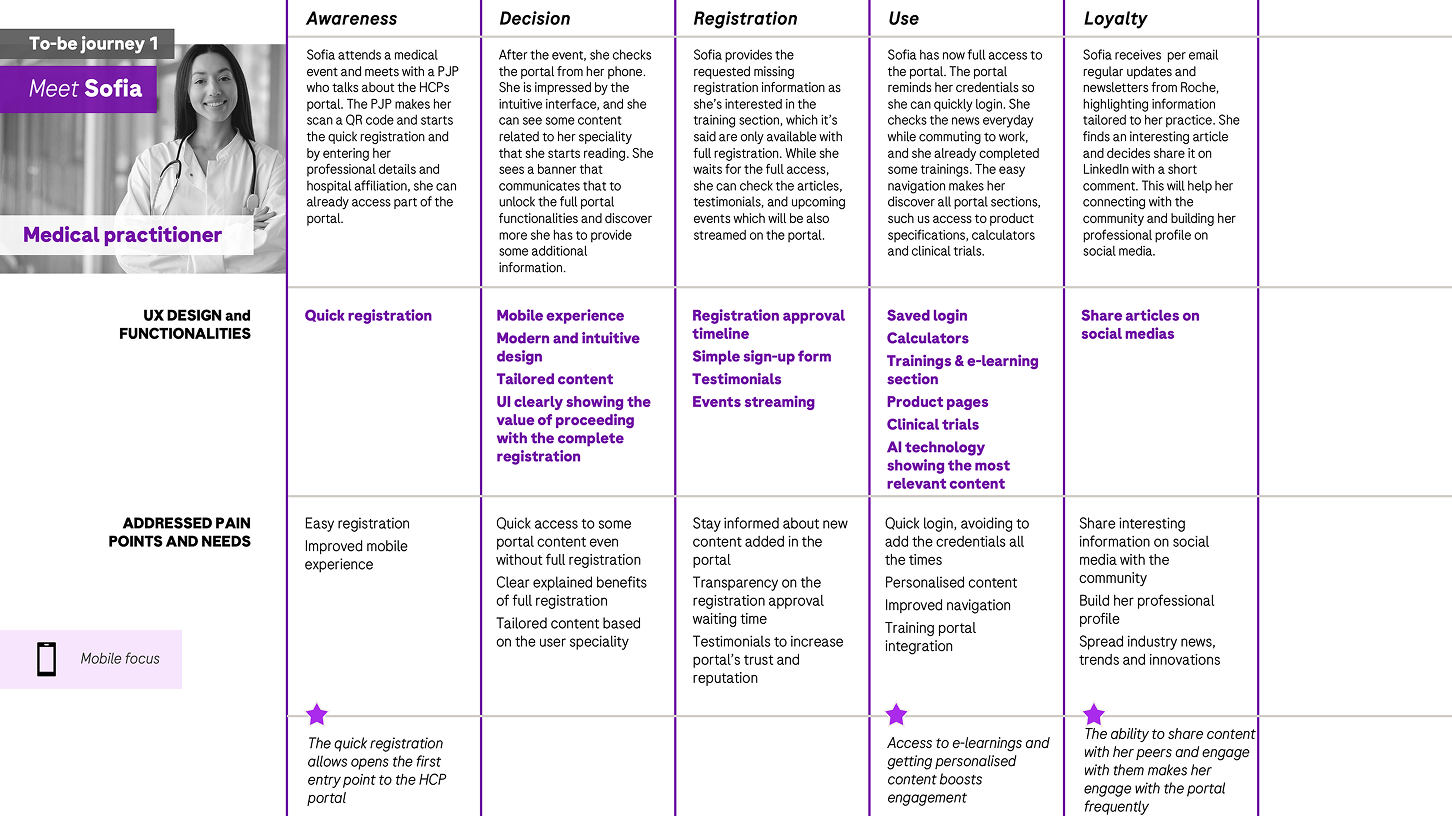
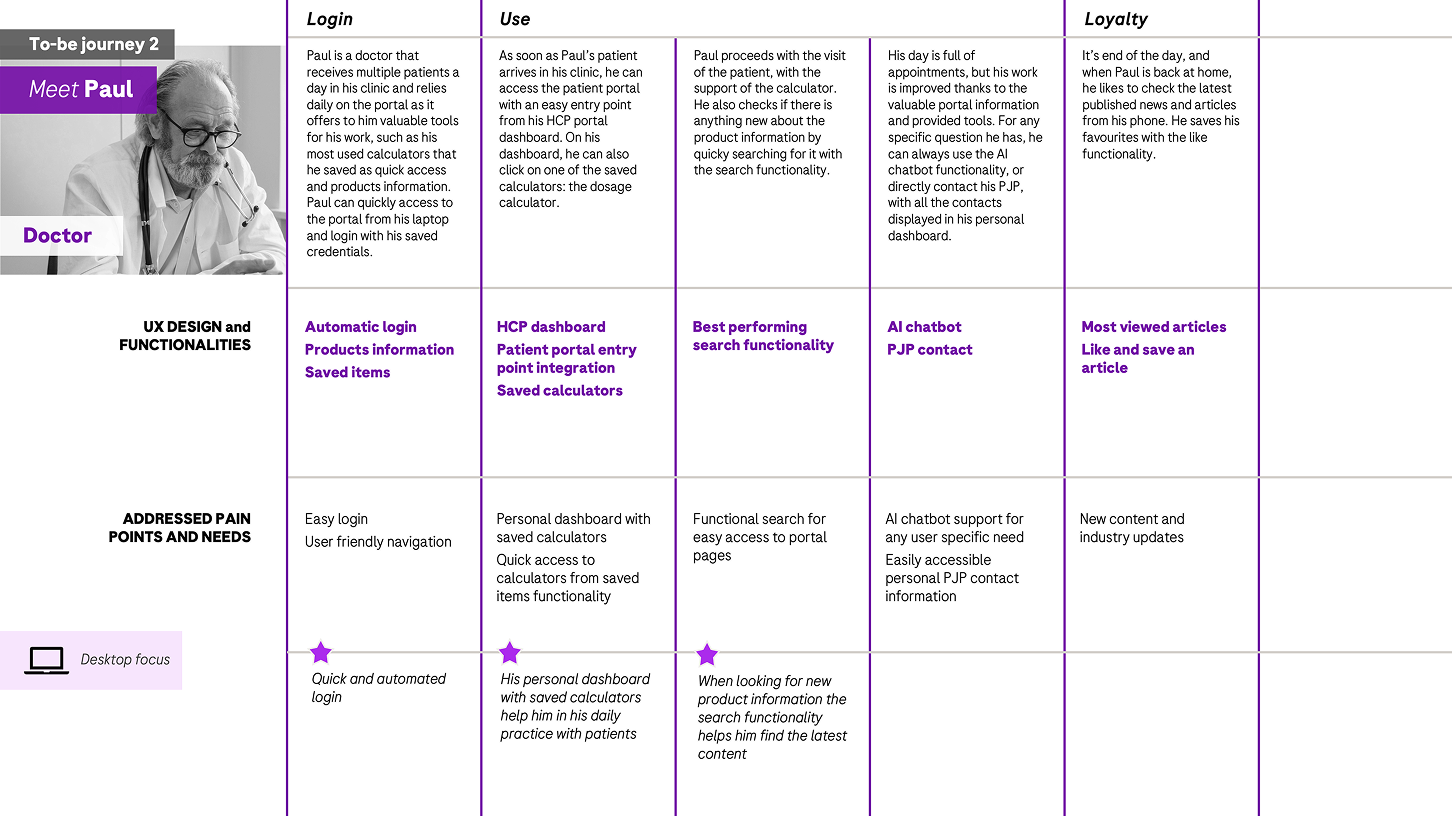
To-be User Journeys
Based on the research outcomes we defined two personas and their ideal to-be journeys, showing how each of them would register, use and get value from the future portal.
The journeys highlight the UX design functionalities, the addressed pain points and needs, and the key moments that will drive adoption and loyalty.
Experience Principles
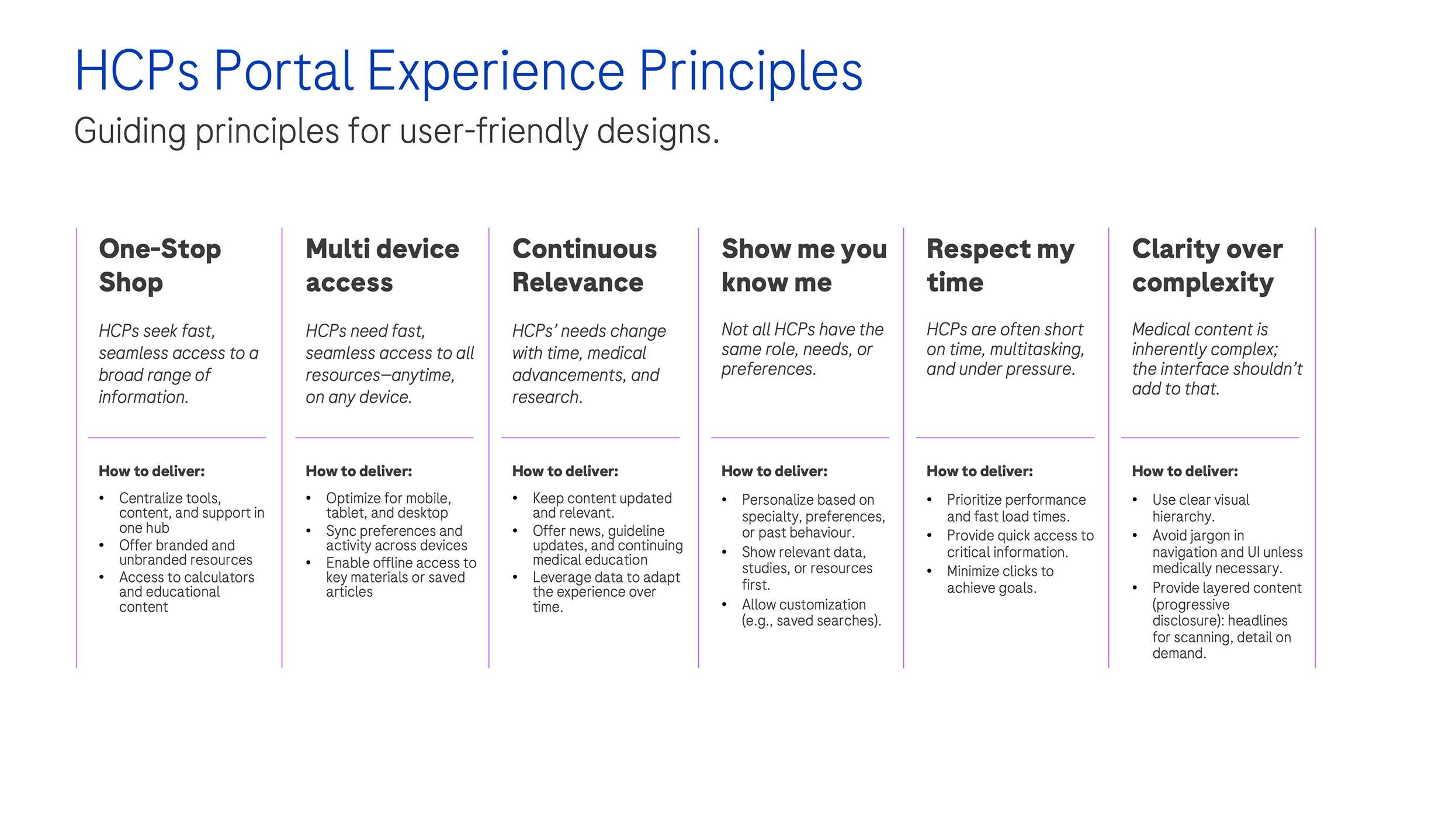
Following the research, the journeys and the pain points we identified, I defined six guiding principles that every future design decision should follow.
These principles keep the portal focused on what HCPs value most: speed, relevance and clarity.
UX Design
recommendations
Utilising the results of the research, we compiled a list of key focus elements for the future UX design to be taken into account in the upcoming design phase.
Simplified registration
Simplify the registration process to reduce drop-offs and make the first access effortless.
Easy login
Enable faster access with credentials that are easy to retrieve and remember.
User dashboard
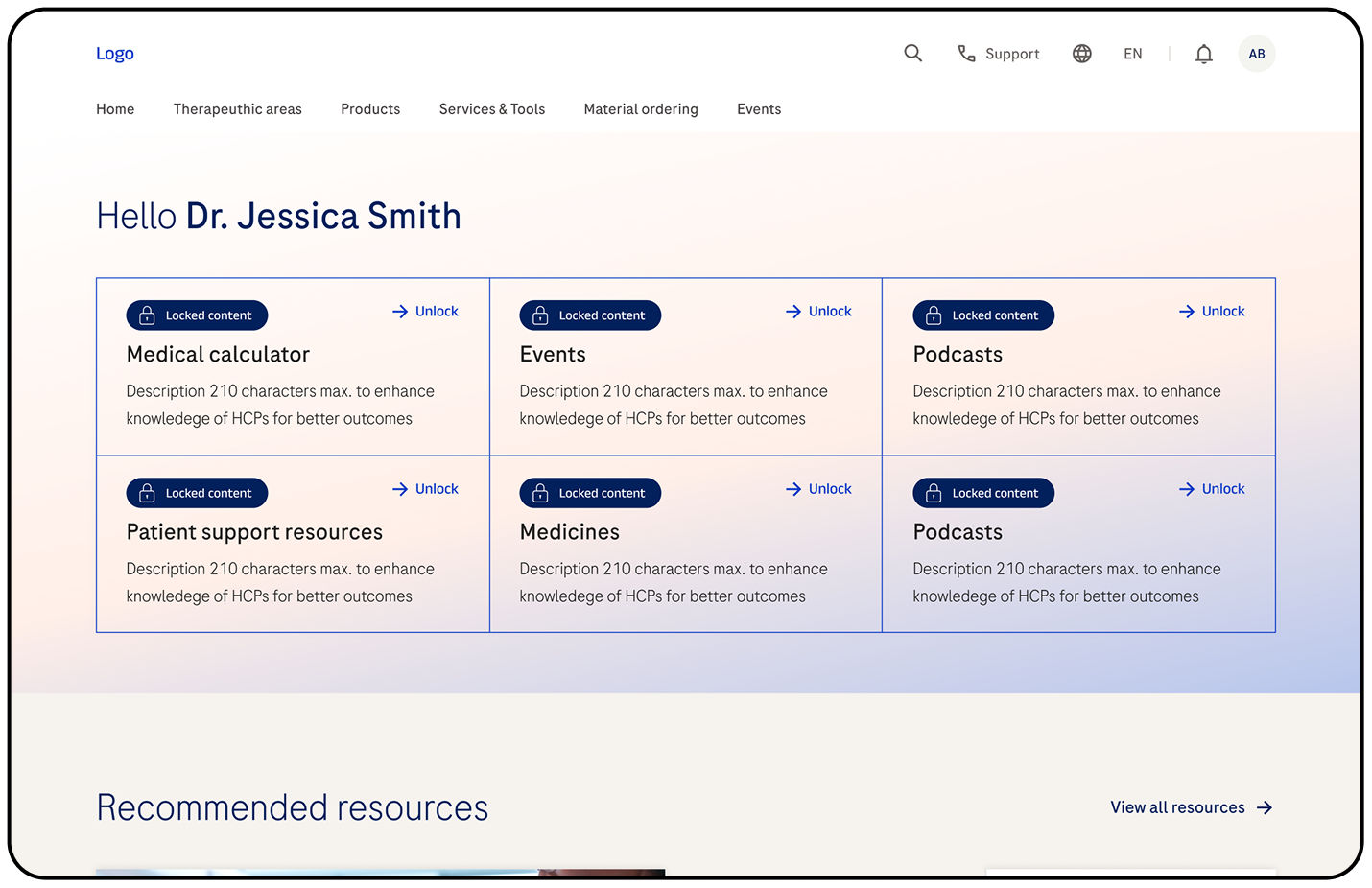
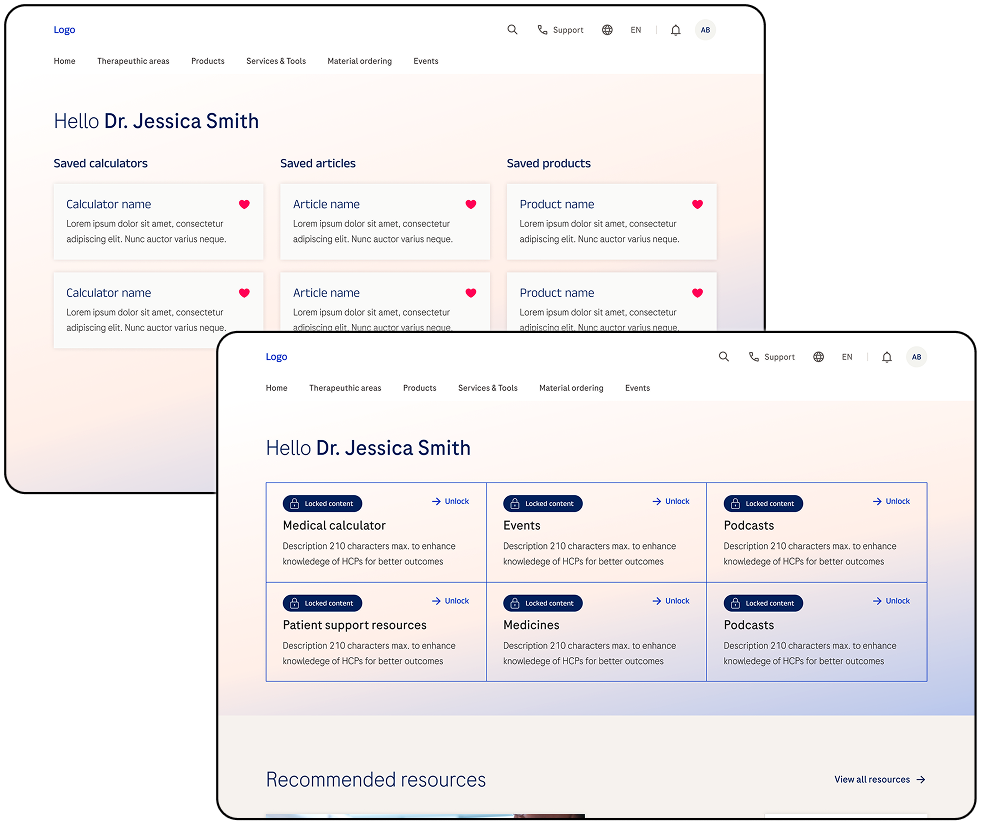
Create a user dashboard to give HCPs an overview of their saved items and activity.
Share functionality
Allow users to share relevant content with colleagues directly from the portal.
Testimonials
Add testimonials to build trust and showcase real experiences from peers.
Events streaming
Stream events on the portal to boost participation and engagement.
Community features
Activate community features like forums, idea boards and interactive webinars.
Mobile experience
Deliver a mobile experience that is consistent and seamless across devices.
Notifications
Send timely notifications on news, events and tailored updates.
User centric navigation
Organise navigation around user needs instead of internal structures.
Modern UI
Adopt a modern, clean and intuitive interface aligned with current design best practices.
AI content selection
Use AI to personalise content suggestions for each user.
Bookmarking
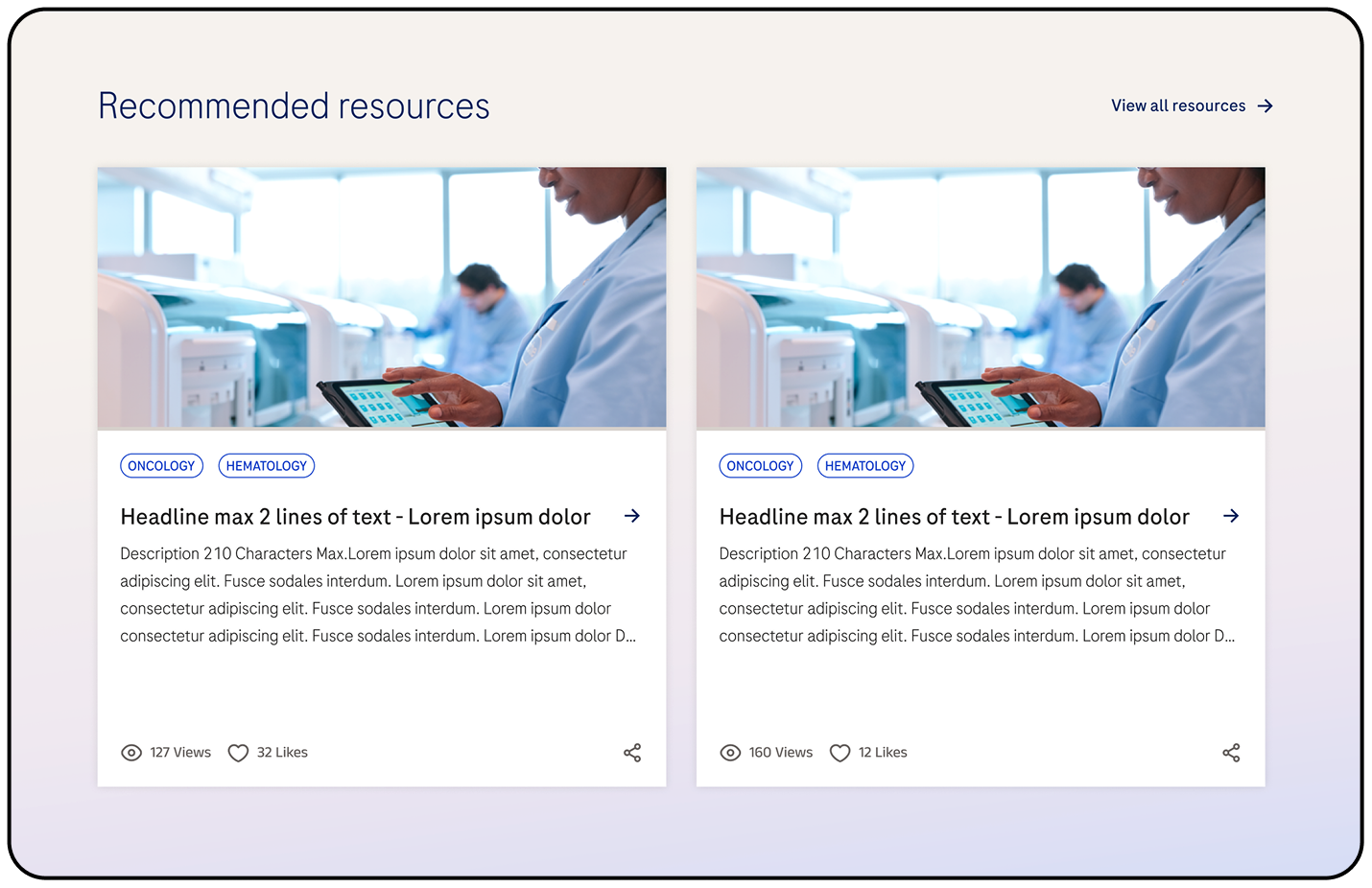
Allow HCPs to bookmark content and organise it for later consultation.
Improved search
Improve search so users can quickly find the content they need.
AI chatbot
Provide an AI chatbot to support users and answer questions in real time.
High level guiding mockups to visualise recommendations
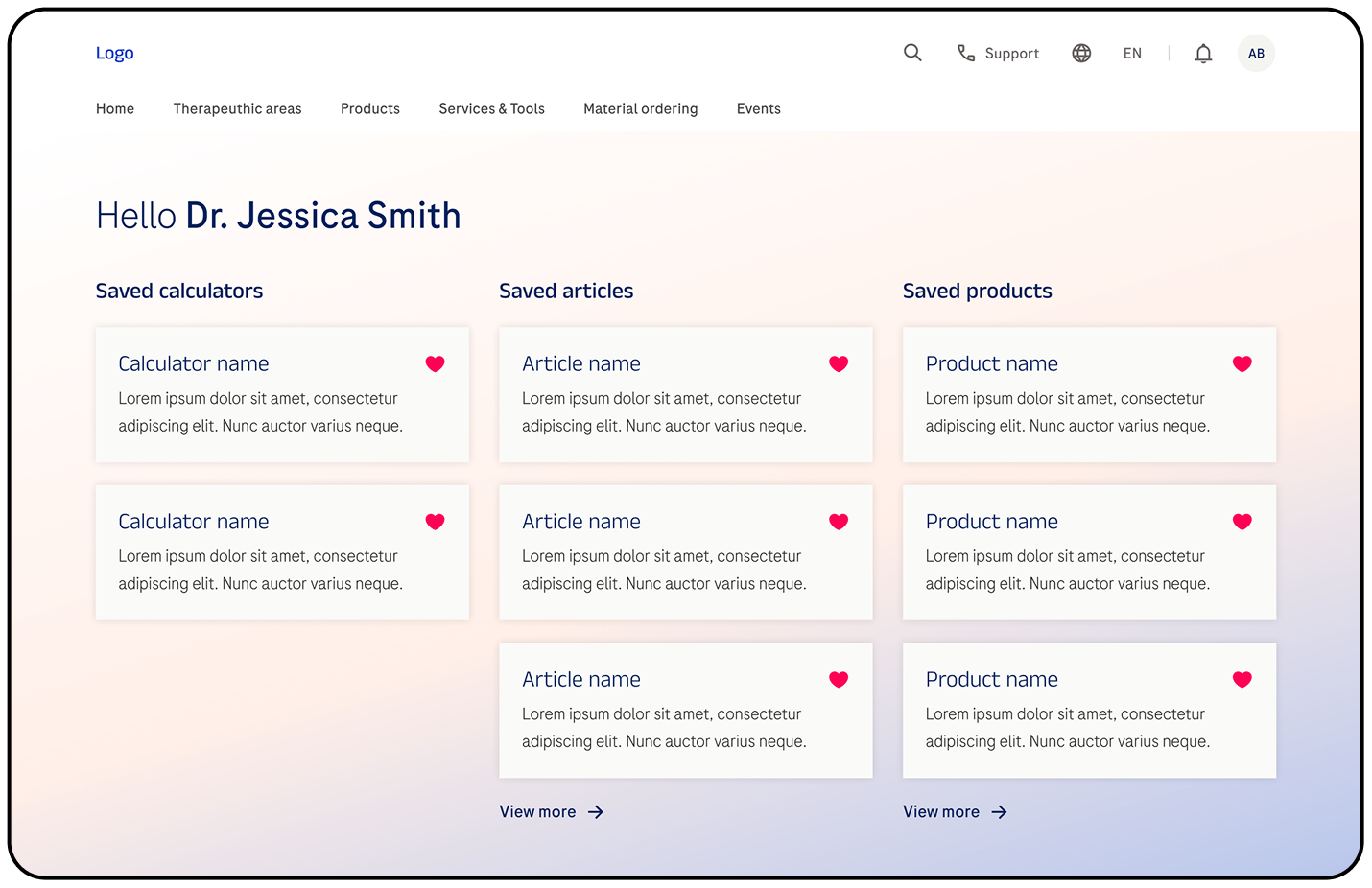
User dashboard
Simplified registration